Tool selection
The installed tools cover network scanning, traffic analysis, web and password testing, and firewall configuration. The count is kept deliberately low; each tool needs an interface and documentation written for it.

Debian 13 · XFCE · amd64
CarotOS is a Linux distribution built for cybersecurity education. It ships ten security tools and seven applications written to operate them.
Approach
CarotOS is not an alternative to distributions that ship large tool sets. It adds ten tools and the interfaces to operate them on top of a Debian install. The goal is not a higher tool count but a base that works in a classroom.
The installed tools cover network scanning, traffic analysis, web and password testing, and firewall configuration. The count is kept deliberately low; each tool needs an interface and documentation written for it.
The system installs in Turkish. English is available from the welcome wizard or the session settings. Application interfaces ship in both languages.
A current repository keeps tool versions aligned with the material people learn from. Version mismatch is one of the most common places new users get stuck.
The applications written for this project are built with Python and GTK3 and distributed under the GPL-3.0. The source code and the ISO build configuration are public on GitHub.
Applications
Seven applications written for this project in Python and GTK3, distributed under the GPL-3.0.
Graphical interface for the ten selected security tools. Per-field function descriptions, live command output, and pkexec authorization for privileged operations.
Bilingual introduction and first-run configuration wizard. Selection of theme, language and desktop background; settings are applied to the system on exit. Version 1.2 increases the page count from eleven to fifteen.
System status tool with twenty checks across six categories. Health score calculation, one-click fixes for twelve issues, and results saved as a report.
Automatic inspection of connected USB devices: detection of autorun.inf, double extensions, hidden extensions and shortcuts disguised as folders. File contents are not read; only name, extension and location are examined. Starts in the background at login since version 1.2.
Penetration-testing practice environment for students. Task-based work with hydra, nmap, john, sqlmap and tshark in an isolated environment, plus defense exercises with ufw and fail2ban.
Classroom management application for teachers. One-step room creation, student progress monitoring, task assignment, and individual hints.
Graphical software store providing access to 51 Debian repository applications in seven categories. Installation and removal use apt; authorization is requested through pkexec. Light and dark themes; Turkish and English interface.
SystemClick to enlarge1 / 15
DesktopXFCE 4, two-panel layout and CarotOS wallpaper.
An isolated and secure penetration-testing environment for students and teachers. The teacher creates a classroom room; students complete tasks with real tools on their own machines. There are no network-exposed components; all operations run on the local machine.
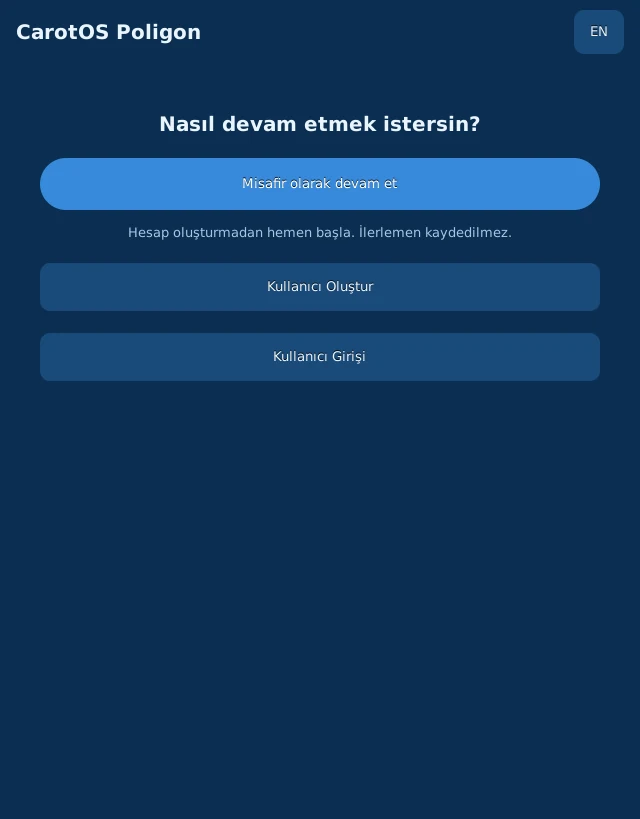
Guest mode without an account, or sign-in with a user account. Progress is recorded for signed-in accounts. Tasks are completed individually or by joining a classroom room.

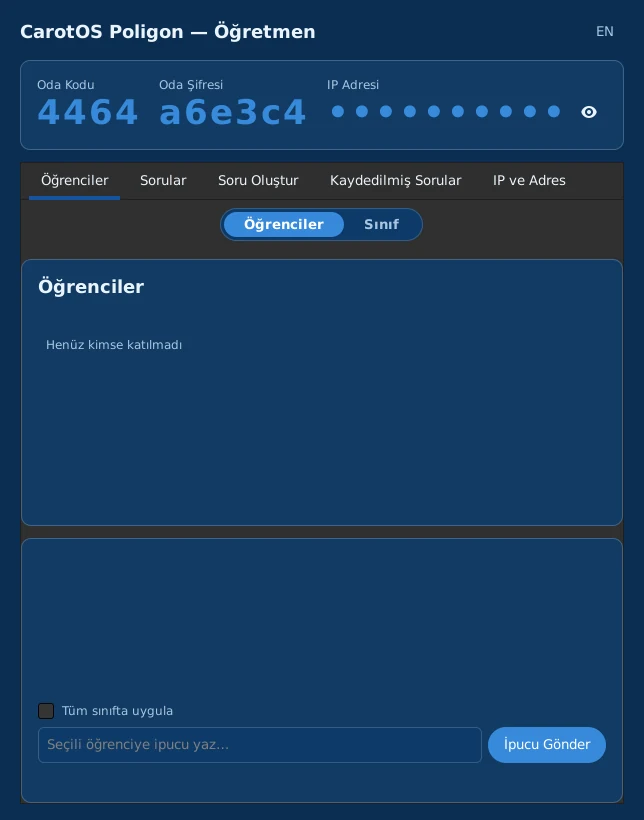
One-click generation of room code and password. Student and class views, question authoring and saved questions are organized in separate tabs. Hints can be sent to a single student or to the whole class.
Download
BIOS and UEFI installs are both tested. A signed shim ships in the ISO for Secure Boot. Firmware packages for Wi-Fi, audio and graphics hardware are included.
Desktop
x86_64
SHA-2562c97e3d2e1c888b7dc5e2df4f92833e9f0983bd6278b5edeb205ce8e62a73a69
System requirements
Recommended minimums for a Debian 13 “trixie” desktop install. XFCE uses fewer resources than GNOME or KDE Plasma. Debian 13 does not support the i386 architecture.
Planned releases
CarotDeck
arm64
A portable build running i3wm on the Orange Pi 5. Target idle memory use is 200 MB.
In developmentBuilds for other desktop environments are planned.
Releases
Release notes are published on GitHub: tools added, bugs fixed, backwards-incompatible changes.
Release notes sent by email. Addresses are not used for any other purpose.
Join opens the mail application with a prepared message.
Selecting Watch → Custom → Releases on the repository sends a notification for every release.
ReleasesLatest release 1.2 — 17 October 2026